
Today’s employees move constantly between home offices, headquarters, and client sites, often in the same week. Supporting that kind of flexibility means managing laptops, tablets, smartphones, and servers spread across many different locations. Keeping secure visibility over thousands of scattered devices is one of the biggest challenges IT departments face.
To protect company assets without slowing employees down, you need central control over every connected device. Advanced frameworks for Unified endpoint management in Saudi Arabia let administrators monitor, update, and secure remote devices from a single console. That level of oversight closes the gap between dispersed teams and central IT operations.
Securing Dispersed Infrastructure Across Regional Markets
Managing company hardware across North Africa and the Middle East means working within complex regional compliance and telecom requirements. Businesses expanding into multiple branch locations often end up with inconsistent patch levels and fragmented device inventories. Standardised device administration fixes this by applying the same security policies to every connected device.
A professional Endpoint Central implementation in Saudi Arabia gives local engineering teams automated deployment tools built around regional business needs. Certified consultants make sure software configurations line up with local data protection requirements and the scale of your operations.
- Automated Software Deployment: Roll out business applications to hundreds of remote branch computers at once.
- Real-Time Inventory Tracking: Keep accurate hardware and software records for every connected device.
- Remote Troubleshooting Support: Diagnose and fix user issues quickly, without needing physical access to the device.
Overcoming Hybrid Workforce Vulnerabilities
Remote employees often connect to unsecured home Wi-Fi or public hotspots while working with sensitive company data. These environments leave devices exposed to malware, ransomware, and unauthorised access attempts. Reactive security simply can’t protect devices that operate outside the traditional office perimeter.
Targeted solutions for Unified endpoint management in Egypt make sure every remote device keeps its firewall protection active and its storage encrypted. Proactive endpoint governance strengthens your defences against emerging threats, wherever your people happen to be working.
- Vulnerability Assessment Scanning: Spot outdated operating systems and missing security patches straight away.
- Encrypted Storage Enforcement: Protect company files on local drives from unauthorised extraction.
- Proactive Threat Mitigation: Automatically isolate compromised machines before malicious code spreads across the network.
Core Pillars of Comprehensive Endpoint Control
Strong endpoint management rests on four core areas of modern device administration. Each one directly supports smooth workflows and data security.
Automating Patch Management
Regular updates close known security gaps in operating systems and third-party applications before attackers can exploit them.
Enforcing Security Policies
Strong password rules, screen timeout settings, and multi-factor authentication help keep access to company assets secure.
Managing Mobile Devices
Bringing smartphones and tablets into the central management console keeps company communications secure, even on personal devices.
Controlling Application Access
Blocking unauthorised software downloads stops employees from installing unapproved programs that could affect system stability.
Accelerating Incident Response and Device Recovery
When a remote device breaks down or goes missing, work can grind to a halt unless IT can step in quickly. Modern device management consoles let administrators lock a lost laptop or wipe company data remotely within seconds. Acting fast reduces the chance of sensitive data ending up in the wrong hands.

Structured diagnostics give engineers detailed insight into device performance logs, so hardware faults can be pinpointed quickly. Faster recovery means employees get back to work with minimal downtime.
- Remote Device Locking: Secure a device the moment it’s reported lost or stolen.
- Selective Data Wiping: Remove company files from an employee’s personal phone without touching their personal photos or documents.
- Automated Script Execution: Run maintenance scripts in the background without interrupting the user’s work.
Optimising IT Operational Efficiency and Cost Control
Manual device setup and repetitive software installs can eat up hundreds of engineering hours every month. Centralised management platforms automate these routine tasks, freeing your technical staff to focus on more strategic projects. Proactive maintenance also extends hardware lifecycles, which lowers the total cost of ownership.
Ongoing performance tuning makes sure computing resources match what employees in each department actually need. With efficient IT management, your support desk stops being purely reactive and starts actively supporting business growth.
Building a Scalable Endpoint Strategy
As a business grows, the number of connected devices and remote users can rise quickly. A scalable endpoint strategy lets IT teams add new devices, users, applications, and branch offices without piling on extra admin work. Bringing automation, security policies, monitoring, and remote support together creates a solid foundation for long-term digital operations.
With the right approach to endpoint management, businesses can support flexible working while keeping control, security, and productivity across their entire IT environment.
Strengthening Compliance and Business Continuity
Centralised endpoint management also makes it easier to stay compliant across distributed teams. IT administrators can apply standard security settings, monitor device health, and generate detailed reports from one place.
This visibility helps you spot compliance gaps and fix them before they affect the business. Consistent controls also support business continuity, making sure employees can securely reach essential applications and resources from any work environment.
Enhancing Employee Productivity Through Centralised Management
Hybrid employees need dependable access to business applications wherever they’re working. Centralised endpoint management helps IT teams keep configurations consistent and reduce technical interruptions.
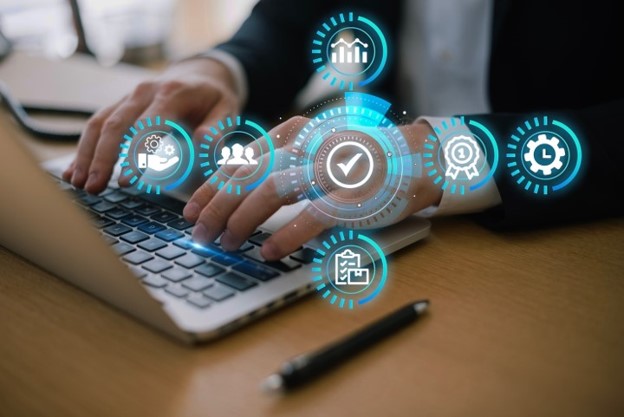
IT teams can automate routine maintenance, monitor device health, and fix common issues remotely without disrupting employees. This keeps people productive while giving administrators greater control over a distributed workplace. A well-managed endpoint environment also ensures employees always have the tools and updates they need to do their jobs well.
Conclusion
Supporting a hybrid workforce takes complete visibility, automated security, and central control over every connected device. Protecting revenue and customer data calls for advanced software platforms backed by certified technical expertise. By making structured endpoint governance a priority, organisations build long-term resilience and stay competitive. For enterprises looking for a trusted path to device management excellence, Trust Information Technology offers the certified implementation expertise and ongoing support needed to secure their digital future.
FAQs
Why is unified endpoint management necessary for hybrid workforces?
Unified endpoint management lets IT teams monitor, secure, and update laptops, mobile devices, and servers across remote locations from one central console. This visibility protects company data outside the traditional office perimeter.
How does automated patch management improve cybersecurity?
Automated patch management scans devices for missing security updates and installs them across operating systems and applications before attackers can exploit known vulnerabilities.
Can IT administrators secure personal employee phones used for work?
Yes. Enterprise mobility management features let organisations containerise company data on personal devices, keeping work communication secure while protecting employee privacy.
What benefits do organisations gain from remote device wiping?
Remote wiping lets IT administrators erase sensitive company files from lost or stolen laptops and smartphones straight away, preventing unauthorised data breaches.
